 David
Keep hitting the weekly limit on Claude Code right in the middle of an edit?
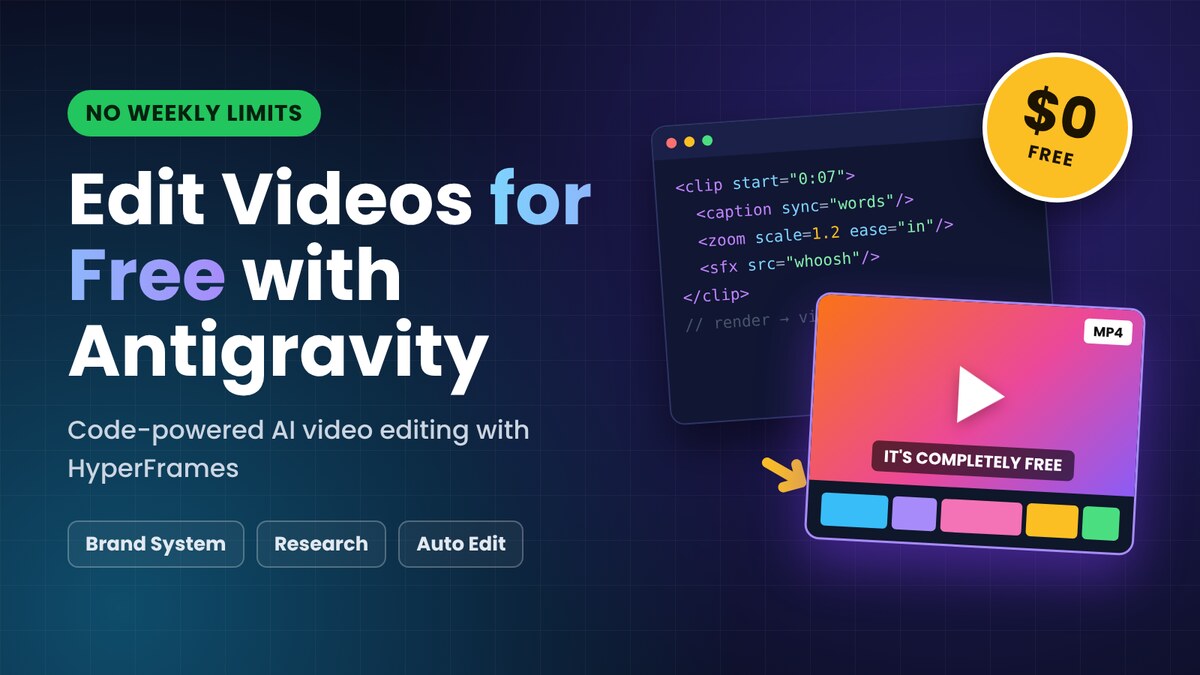
There’s a free tool that can edit your videos too: Google Antigravity. Antigravity video editing costs nothing, has a huge context window, and almost nobody is talking about it.
Continue reading, to find out how to set it up, which skills to install, and how it compares with Claude Code.
Antigravity Video Editing for Free
Claude Code is great for editing videos, but a few files and a few questions can be enough to use up your weekly limit.
Google Antigravity is a free alternative. It can read all your assets, transcripts and style rules at once, so you don’t get locked out halfway through a project.
The setup has four parts: a brand design system, a research skill, an editing skill, and your own editing style.
Brand Design System Setup
Start with a brand design system, so every video on your channel looks the same.
Tell Antigravity to “install Grill Me skill.” Then open your project folder and ask it to set up your video editing project and grill you to create your brand design system.
Add “make it interactive” to the prompt. That way you get clickable choices instead of one long wall of text questions.
It asks about eight questions covering format, look, fonts, colors, motion, captions and sound. Each one has a recommended answer, and you can write your own if you prefer.
Already have a channel? Send it two or three of your videos and it will match your current style.
When you finish, it saves brand guidelines and a color palette file to your project. After that, it keeps using your brand, so the styles don’t come out random.
Free YouTube Research Skill
Do your research before you script or edit. You don’t need a paid research tool for this.
Tell Antigravity to install a research skill into your project from its link. It installs a whole set of research skills in one go.
Paste a video link and ask it to research and analyze the video. It pulls the transcript, breaks the video down, and saves the thumbnail and frames to your project folder.
It also checks the outlier score and views per hour, so you can see whether the video is beating the channel’s average.
With the Canva plugin installed, it can put the results in a table: title, thumbnail, short description, video link and a full analysis doc. This works for a whole channel or playlist too.
For more ideas on finding topics, see our guide to YouTube video research with AI.
How Antigravity Edits Video
Antigravity doesn’t generate video, and it can’t open Premiere Pro and click around for you.
It writes code instead, using HyperFrames, a free and open-source tool. Think of HyperFrames as a web page that plays like a video.
Every image, caption, zoom and sound effect is written as code with an exact timestamp. The project is then rendered frame by frame into a real MP4 on your computer.
Antigravity doesn’t know HyperFrames out of the box, so install the HyperFrames skill first.
Antigravity Video Editing Cost
The whole setup costs $0.
Antigravity, HyperFrames, the Grill Me skill, the research skill and the editing skill are all free.
Editing Workflow With a Skill
There are two ways to get an editing skill. You can use a ready-made skill or build your own.
A good ready-made skill already includes timeline rules, caption sync and camera easing. It also checks for your brand design system first, and if you don’t have one, it offers to build it with you in about 10 minutes.
Put your voiceover in an audio folder and your GIFs and B-roll in an assets folder. Antigravity can find assets on its own, but you’ll usually get better results by picking them yourself.
Then tell it to start editing, use your theme skill, and ask questions instead of guessing.
Before it changes anything, it asks a few questions. Next it reads the audio, checks the timing of every word, writes the timeline to your build folder and renders the MP4.
Claude Code vs Antigravity
The same prompt, voice take, assets and brand rules were given to both tools, and the first versions were compared side by side.
Antigravity added a reaction GIF where Claude used a text card. But Claude’s card was clean, while Antigravity’s text was off-center and all in gold.
For a roadmap section, Claude used the script’s exact words and Antigravity made short labels.
The gap was small overall. Claude got more right on the first try and picks up on what you mean faster, while Antigravity needed one round of notes.
Antigravity’s advantages are that it’s free, it has a large context window, and it has no weekly lockout. Many creators end up using both tools.
New to Claude? Start with our guide to editing videos with Claude Code.
Create Your Own Editing Style
Find three videos with an editing style you love. Three is enough.
Ask Antigravity to watch them frame by frame and copy the pacing, fonts, colors, zooms and sound effects.
It measures the style with real numbers. For example, it might find that the editor cuts every 7 seconds and is only on camera for 4 seconds out of every 10.
Fixing the First Draf
You’ll rarely get the exact cut you want on the first take, and that’s true with Claude Code as well.
Give specific notes with timestamps. For example: “At 0:07 the GIF repeats,” “At 0:23 the text is off-center and all gold,” or “At 0:28 there’s a bad cut in my voice.”
Because the edit is code, Antigravity changes only those shots instead of generating a whole new video. In this case, the second version fixed all three problems.
Finally, tell your skill to save every note as a dated rule, so it doesn’t make the same mistake twice. You can also explore more free AI tools for YouTube creators.
Can Google Antigravity edit videos?
Yes. Antigravity writes the edit as HyperFrames code, with every caption, zoom and sound effect timed exactly, then renders it into a real MP4 on your computer.
Is Antigravity video editing really free?
Yes. Antigravity, HyperFrames, the Grill Me skill and the research and editing skills cost nothing.
What is HyperFrames?
HyperFrames is a free, open-source tool that turns code into video. It works like a web page that plays like a video, and it renders frame by frame into an MP4.
Is Claude Code better than Antigravity for video editing?
Claude Code gets more right on the first try and understands instructions faster. Antigravity is free, has a larger context window and has no weekly limit, so many creators use both.
How do I make Antigravity copy an editing style?
Give it three videos you like and ask it to analyze them frame by frame for pacing, fonts, colors, zooms and sound effects. Then give it timestamped notes on each draft and have it save them as rules.
Advertisements


 David