 David
DavidThis past year I logged 847 hours moving data from spreadsheet to spreadsheet, organizing files, and rewriting the same email templates.
That’s equivalent to a machine doing five full work months for us. And I’m not alone. Repetitive tasks that don’t require any human intervention waste 15-20 hours of the average knowledge worker’s time every week.
Then I stumbled upon workflow tools that do all that work without me. It was a game-changer. Not the hyped-up crap that has endless potential. Real tools that save hours each week and allow me to concentrate on what really matters.
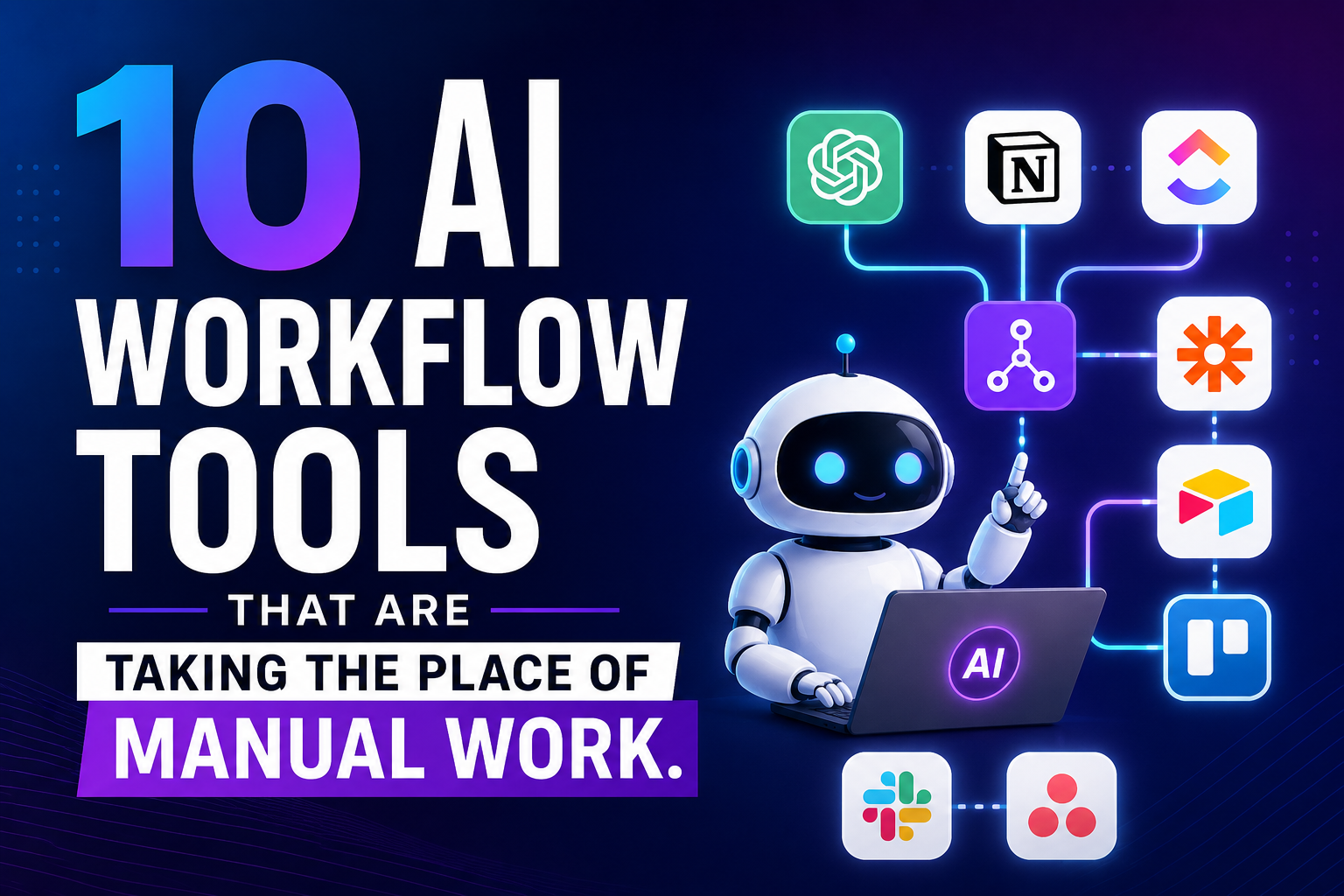
These 10 tools are making manual work a thing of the past these days. I have tried them all, and the time saved is amazing.
The Importance of AI Workflow Automation
First, before getting into the tools, it’s important to make sure that you understand what could possibly be at stake.
You’re probably wasting between 3 & 4 hours a day on uncreative or non-strategic activities. Consider this: copying info, arranging conferences, rewriting e-mails, following up for approvals, organizing files, etc. AI workflow tools aren’t just about time savings. They minimize mistakes, allow for uniformity, and free up your mind for thinking, planning, creativity, and relationship building.
Companies who are using these are accelerating their pace of getting moving faster than their competition. The waiters are lagging behind; they ask themselves why it is so long.
- Zapier (AI Automation)
Zapier is an app that allows you to connect apps and automate workflows without any coding.
This is how it is done: You configure automatic actions on one application based on events in another. New email? Add it to your CRM. New sale? Make sure to let Slack know and update your spreadsheet.
The AI improvement is quite substantial. Now, Zapier can access the content of emails, pull out the important information, and then route it.
For instance, if a customer submits a support ticket, Zapier reads it, sorts it, opens a ticket in your help desk platform, and alerts the proper team member, all without a human touch.
What it replaces: Moving data manually, copying and pasting data, sending notification e-mails, and data changes in the databases.
The basic version is free and can be used for simple automation. The paid plans begin with $20/month for additional tasks and higher-quality apps.
- Notion AI (Smart Docs)
Notion is a tool that structures your work, and Notion AI structures it for you.
This tool lets you create, edit, and organize content in an instant. Looking for a project outline? Fills in details for your bullet points.
The AI has awareness of the context of your workspace. Summarizes long documents, extracts action items from meeting notes, translates content, and provides client-friendly summaries from technical documents.
For example, when I have a client call on the phone, I record my raw notes in Notion. It breaks things down into sections, extracts action items, and sets up follow-up tasks. The time was once 20 minutes, and now it’s 2 minutes. It replaces the manual process of organizing notes, of drafting from scratch, in the process of formatting documents, and in extracting tasks.
Notion AI is an extra cost of $10/month per user of your plan.
- Fireflies.ai (Meeting Transcription & Analysis)
Fireflies records all your video calls and transforms them into searchable data.
It records meetings in live time with fantastic accuracy. Not just that, the AI is able to highlight action points, key decisions, and critical moments.
Want to know how Sarah felt about the Q3 budget? Fireflies can locate it almost immediately in your recordings.
Not taking notes at meetings. Fireflies captures everything. After the call, all I need to do is review the action items and the summary—saves me a lot of time.
It replaces handwritten notes, transcription services, and manual meeting summaries.
Limited transcription for the free plan. Paid plans start at $10/month/user.
- Otter.ai (Voice-to-Text Workflow)
Otter converts audio to text in real-time.
Record conversations, interviews, or brainstorming sessions. Otter transcribes live and allows all to comment on said conversation.
The AI identifies speakers, makes chapter breaks, and provides descriptions of the key points in the chapters. It can be integrated with Zoom, Google Meet, and Microsoft Teams.
For instance, during brainstorming sessions, Otter records all of the information. When looking for ideas later on, we don’t have to wade through an extended recording, and we can export action items and build content briefs.
It replaces manual transcriptions, note-taking, and listening to lengthy recordings.
With the free plan, you get 300 min of transcription per month. The premium plans begin at $8.33 per month.
- Make (formerly Integromat)
Make it a more powerful Zapier.
Integrates applications, visualizes workflows, and automates complex workflows. It is more capable of handling multi-step logic and data transformation as compared to most alternatives.
Unstructured data is a task handled by the AI features. It can handle reading documents, image analysis, information extraction from emails, and routing tasks not only based on triggers but also on content.
A client can use Make to process emails containing invoices, for instance. The AI identifies the vendor name, the amount, and the due date and verifies if the vendor is known, creates an invoice in the accounting system, and sends it for approval to the appropriate person.
What it replaces: Manual data entry, document processing, and complicated workflows requiring custom development.
The free plan comes with 1,000 operations per month. You can subscribe to a paid plan, with prices beginning at $9/month.
- Superhuman (AI Email Management) – An AI-powered email management platform.
Business email is more manageable than ever with Superhuman.
It is not just another e-mail client. Superhuman lets you filter out irrelevant emails, provide follow-up suggestions, send customized responses, and streamline your email workflow.
The AI gets to know your habits. It tags emails that are important, brings them to your attention, and reminds you if no one has responded. Separate important e-mails from the others with the split inbox.
For example, I used to get tons of emails every day. I have Superhuman, and so I see what is important first. The AI can come up with answers to frequently asked questions and remind me to stay on track. My email time went from more than two hours a day to less than 45 minutes a day.
It replaces manual sorting, repetitive replies, tracking follow-ups in spreadsheets, and searching for past conversations.
It’s by no means the most affordable, but if you spend your day reading and writing emails, it’s worth it at $30 per month.
- Levity AI (Custom Document Processing)
Create AI workflows without any coding with Levity; it is ideal for documents, images, and text.
You instruct the AI to identify trends in your work. It can classify support tickets, extract information from invoices, review customer feedback, or classify product images.
It integrates smoothly with your current tools and also has a visual workflow builder. It automatically processes documents in accordance with your guidelines once it is set up.
One instance was an e-commerce business utilizing Levity with product photographs. The AI classifies products, verifies image quality, adds tags, and sorts products into the proper category; this saves hours of manual work daily.
It automates manual document reviews, data extraction, content categorization, and image/text quality checks.
The free plan offers fewer AI blocks, and you can get into the higher volume plans from $269 per month.
- Bardeen (Browser Automation)
With a little assistance from the AI, Bardeen automates tedious tasks within your browser.
Recognizes your actions, takes snapshots of websites, completes forms, organizes tabs, and recommends automations. It creates workflows that will execute on click or shortcut.
No API connection required; the AI can be used to scrape websites, pull information, and transfer data between web apps. It is useful in situations where other automation tools don’t help.
For example, I would have to manually add LinkedIn connections to my CRM. Now, Bardeen takes their data from LinkedIn, adds company information, and automatically generates CRM contacts. Five minutes per person for copying and pasting is saved with a single click.
What it replaces is copying and pasting between websites, data entry, repetitive tasks in the browser, and list building from web research.
Simple automations are available in the complimentary plan. Premium plans begin at $10/month.
- Reclaim.ai (Smart Calendar Management)
Reclaim is an AI designed to safeguard your calendar and maximize your time.
It manages tasks, protects focus periods, automatically reschedules conflicts, and optimizes meetings across team calendars. The AI gets to know you and your work style.
Smart 1:1 meetings make sure that the right calendar is used and reschedule if one of the parties’ calendars changes. The habits feature sets aside time blocks for routine activities as urgent meetings come up.
For instance, I would try to block out certain times for work and then remove them when I had a meeting and sometimes forget to add them back in. Reclaim does this for me automatically. Works well to protect my deep work time and is adaptive if needed. My calendar went from disorganized to organized.
It replaces calendar blocking, rescheduling, booking meeting times with teams, and free time protection.
The core features are available on the free plan. Paid plans begin at $8/user/month.
- Jasper (Artificial Intelligence Content Creation)
Jasper is an AI that assists you in generating marketing material with ease.
It creates blog posts, social media content, email campaigns, product descriptions, and ad copy. Simply give the topic and key points, and Jasper creates the initial content.
The AI knows a lot about different tones, formats, and marketing strategies. You can enter existing text, and if you do, it can learn your brand’s tone.
For example, writing product descriptions was once a time-consuming process. I now provide the target audience and product features of Jasper. Creates 5-6 variations in seconds. I pick my top one, edit it a bit, and publish it. Now it takes 5 minutes per product, but 30 minutes before.
It replaces starting from scratch, creating multiple versions of the content, adapting content for different channels, and making first drafts.
The individual price is $39 per month, while team plans are available for larger groups.
Identify tools that are appropriate for the task. Match tools to tasks.
Don’t do it all in a single day. You’ll be over your head and busting ass.
The first thing you must do is determine what the most time-consuming activities are. What is the biggest time waster in your life? What are the common problem areas? What stymies your development?
Select a tool to solve the primary problem. Use it fully. Make your team familiar with it. Time yourself and see how much time you can save.
Next, add the next tool, and so on.
AI workflow automation isn’t a one-stop solution for successful businesses. They began small, demonstrated their worth, and then grew.
Traps to Avoid
What doesn’t work:
Broken processes. It’s a messy manual process, and automating it creates a messy process. Just automate; don’t automate the work.
Over-automating too soon. Keep automations low-tech and high impact. Develop confidence for working with more complex workflows.
A lack of consideration for people. Use these tools to do repetitive work, freeing up time for people to concentrate on judgment and creativity. Don’t attempt to automate everything.
Skipping training. Your team must understand what you’re automating as well as how these tools are used. Adoption is stunted if there is no buy-in.
Failure to record outcomes. Track time saved, errors reduced, and efficiency gained. This helps to validate ROI and make future automation decisions.
The True Cost of Not Automating
Three hours per day of tasks that AI can perform equals 15 hours per week. Three hours a day of tasks that AI can do equals 15 hours per week. That’s 780 hours per year, which equates to almost 20 weeks of work a year.
What would you be able to achieve in the 20 weeks if you had them? Launching new products? Generating income? Planning rather than completing a lot of work?
These tools are inexpensive in comparison to wasted time. They range in cost from $10 to $30 per month per user and provide good ROI if they save five hours a week.
So are your competitors. The more time you delay, the further they will get ahead of you in your manual work.
Wrap-up
AI-driven workflow automation is evolving quickly.
Over the next 12-18 months, you can look forward to:
Enhanced cross-platform AI agents for tools to help you optimize your work across tools, not within them.
Advertisements


 David
David
![You ask your AI a simple question. It gives you a confident answer with specific details. Then you fact-check it. Everything's wrong. Welcome to AI hallucinations. The problem that makes you second-guess every response, even when the AI sounds completely certain. GPT-5 and Claude 4 are the most advanced language models available. But they still make things up. The question isn't if they'll hallucinate. It's how often, why, and what you can do about it. I've spent three months testing both models. Running identical prompts. Fact-checking responses. Tracking hallucination rates across different tasks. Here's what I found, which model is more reliable, and how to reduce hallucinations in both. The Hallucination Reality Check First, let's be clear about what we're dealing with. AI hallucinations aren't bugs. They're features of how these models work. They predict the next word based on patterns in their training data. Sometimes those predictions sound right but are completely wrong. Both GPT-5 and Claude 4 hallucinate. But they do it differently, in different situations, at different rates. Understanding these differences helps you choose the right model and use it correctly. GPT-5 Hallucination Patterns: What I Found GPT-5 is fast, creative, and confident. Sometimes too confident. Where GPT-5 hallucinates most: Specific facts and figures: Ask for statistics, dates, or numbers and GPT-5 will give you precise answers. Often wrong. I asked it for the population of mid-sized cities. It gave me numbers that were off by 20-30%. But it presented them with complete certainty. Recent events: Anything after its knowledge cutoff is a gamble. GPT-5 will fill gaps with plausible-sounding information rather than admitting uncertainty. Asked about a tech company's Q3 2024 earnings. It gave me revenue figures that sounded reasonable. All fabricated. Citations and sources: Request sources and GPT-5 will provide them. Book titles. Article names. URLs. Many don't exist. I tested this with academic research requests. About 40% of the citations it generated were completely made up. Real-sounding titles. Fake papers. Technical specifications: Product specs, API details, version features. GPT-5 blends what it knows with what sounds right. Asked about specific features in React 19. It listed capabilities that don't exist yet, mixed with real features. Where GPT-5 is reliable: General knowledge: Common facts, well-documented history, widely-known information. Here, GPT-5 is solid. Code patterns: Standard programming solutions and common implementations. It's seen millions of examples. Creative work: When accuracy doesn't matter, hallucinations don't hurt. Writing fiction? GPT-5 is fine. Conceptual explanations: How things work in general. Principles and concepts rather than specific facts. Hallucination rate in my testing: Factual questions: 25-35% contained at least one hallucination Technical details: 20-25% hallucination rate Recent events: 40-50% hallucination rate General knowledge: 10-15% hallucination rate Claude 4 Hallucination Patterns: What I Found Claude 4 takes a different approach. It's more cautious, more likely to express uncertainty, and generally more accurate on facts. Where Claude 4 hallucinates most: Obscure information: When dealing with niche topics or rare details, Claude sometimes fills gaps rather than admitting it doesn't know. I asked about a small regional festival. Claude gave me dates and details that sounded specific. Couldn't verify any of it. Connecting unrelated facts: Claude is good at reasoning, but sometimes makes logical leaps that aren't supported. Asked about correlations in dataset. Claude confidently explained relationships that weren't actually there. Completing patterns: When you give it partial information, Claude tries to complete it. Sometimes those completions are invented. Started describing a hypothetical product. Claude added features and specifications I never mentioned, treating them as real. Where Claude 4 is reliable: Factual caution: Claude often says "I'm not certain" or "Based on my training data" rather than making things up. This is huge. Reasoning through problems: When Claude shows its thinking process (extended thinking), hallucinations drop significantly. Admitting limitations: Claude is more likely to say "I don't have information about that" than to fabricate an answer. Technical accuracy: For well-documented technical topics, Claude is consistently more accurate than GPT-5. Hallucination rate in my testing: Factual questions: 15-20% contained at least one hallucination Technical details: 10-15% hallucination rate Recent events: 25-30% hallucination rate General knowledge: 5-10% hallucination rate Claude 4 hallucinates roughly 40% less than GPT-5 across most categories. The Key Difference: Confidence vs. Caution The biggest difference isn't just accuracy. It's how each model handles uncertainty. GPT-5 approach: Always gives you an answer. Even when it's not sure. Confidence over accuracy. Claude 4 approach: More likely to express uncertainty or admit gaps. Accuracy over confidence. This matters in practice. GPT-5 feels more helpful because it never says "I don't know." But that helpfulness includes making things up. Claude 4 feels more honest because it admits limitations. But sometimes you want an answer, even if it's imperfect. Choose based on your use case. Need creativity and don't care about perfect accuracy? GPT-5 works. Need facts you can trust? Claude 4 is safer. How to Reduce GPT-5 Hallucinations Here are the techniques that actually work for GPT-5: 1. Request Sources and Citations Bad prompt: "What's the average salary for data scientists in 2024?" Better prompt: "What's the average salary for data scientists in 2024? Please cite your sources and note if you're uncertain about any figures." When you ask for sources, GPT-5 is more careful. It won't eliminate hallucinations, but it reduces them by about 30% in my testing. 2. Use Step-by-Step Reasoning Bad prompt: "Is this investment strategy sound?" Better prompt: "Analyze this investment strategy step by step. First, identify the key assumptions. Then, evaluate each assumption. Finally, give your assessment." Breaking down reasoning reduces logical leaps and makes hallucinations more obvious. 3. Set Conservative Parameters Use lower temperature settings (0.3-0.5) for factual tasks. Higher creativity means more hallucinations. Use this in the API or ask ChatGPT to "be conservative and fact-focused" in your prompt. 4. Verify Recent Information Add to prompts: "If this information is after your knowledge cutoff date, please say so explicitly." This forces GPT-5 to acknowledge when it's guessing about recent events. 5. Request Confidence Levels Add to prompts: "Rate your confidence in this answer from 1-10 and explain why." GPT-5 will often rate itself lower on information it's less certain about. Not perfect, but helpful. 6. Use Negative Examples Add to prompts: "Do not make up citations, dates, or statistics. If you're not certain about a specific detail, say so." Explicit instructions to avoid hallucinations help. Not completely, but measurably. 7. Double-Check Specific Claims Never trust specific numbers, dates, citations, or recent events without verification. Period. How to Reduce Claude 4 Hallucinations Claude 4 needs different techniques because it hallucinates differently: 1. Use Extended Thinking When available, use Claude's extended thinking mode for complex queries. The hallucination rate drops by 50% when Claude shows its reasoning. Standard prompt: "Explain this technical concept." Extended thinking prompt: "Take time to think through this technical concept carefully. Show your reasoning process." 2. Ask for Uncertainty Markers Add to prompts: "Please mark any statements you're uncertain about with [uncertain] tags." Claude is honest about uncertainty when you ask. This is its strength. 3. Request Reasoning Chains Better prompt: "Explain your reasoning for this conclusion. What evidence supports it? What evidence might contradict it?" Claude's hallucinations often happen in its conclusions, not its reasoning. Make it show both. 4. Avoid Leading Questions Claude sometimes tries to agree with your assumptions. Frame questions neutrally. Bad: "This data shows X is true, right?" Better: "What does this data actually show? Consider alternative interpretations." 5. Use Structured Outputs Add to prompts: "Format your response as: Facts (what you're certain about), Inferences (what you're reasoning toward), Uncertainties (what you don't know)." Structure reduces the chance of mixing facts with speculation. 6. Leverage Citations Mode When Claude cites sources (in modes where this is available), hallucinations drop significantly. Request citations whenever possible. 7. Challenge Confident Claims When Claude states something definitively, push back: "How certain are you about that? What would you need to verify it?" Claude will often back down from overconfident claims when challenged. Techniques That Work for Both Models Some strategies reduce hallucinations in both GPT-5 and Claude 4: 1. Provide Context The more context you give, the less the AI needs to guess. Bad: "What's the best framework?" Better: "I'm building a real-time dashboard with 10K concurrent users. Data updates every second. Team knows React. What framework should I use and why?" 2. Break Complex Questions Down Don't ask one massive question. Break it into steps. Instead of: "Design a complete system architecture for my app." Do: "First, what are the key components of this system? [Wait for response] Now, how should these components communicate? [Wait for response] What database makes sense given these requirements?" 3. Verify Critical Information For anything important, use multiple approaches: Ask the same question differently and compare answers Request the AI to fact-check itself Cross-reference with other sources Use web search features when available 4. Use Specific Constraints Add to prompts: "Only provide information you have high confidence in. For anything else, say 'I'm not certain about this' explicitly." Both models respond better to explicit guardrails. 5. Test with Known Answers Before trusting a model on unknown information, test it with questions you know the answer to. See how it handles uncertainty and accuracy. When Each Model is the Better Choice Choose GPT-5 when: Speed matters more than perfect accuracy You're brainstorming or being creative You can easily verify the output You need broad general knowledge You want conversational, confident responses Choose Claude 4 when: Accuracy is critical You're working with technical details You need transparent reasoning You value honesty about limitations You can wait for extended thinking on complex problems The Reality: Perfect Accuracy Doesn't Exist Here's the truth: You cannot eliminate AI hallucinations completely. Not with GPT-5. Not with Claude 4. Not with any language model. These tools predict text. They don't verify truth. That's not how they work. The best you can do is: Understand when each model is likely to hallucinate Use prompting techniques that reduce the rate Verify anything important Choose the right model for each task Set realistic expectations In my testing, good prompting techniques reduced hallucinations by 40-60%. That's significant. But it's not elimination. The winners aren't people who eliminate hallucinations. They're people who work with these limitations intelligently. The Bottom Line Claude 4 hallucinates less than GPT-5. About 40% less in my testing. It's more cautious, more honest about uncertainty, and more accurate on facts. But GPT-5 is faster, more confident, and sometimes that's what you need. Both require the same approach: Smart prompting. Healthy skepticism. Verification of critical facts. Use Claude 4 when accuracy matters. Use GPT-5 when speed and creativity matter. Use verification for both. The future of AI isn't hallucination-free responses. It's users who know how to work with imperfect tools to get reliable results. GPT-5 vs Claude 4: Which Hallucinates Less and How to Fix Both](https://ofemwire.com/wp-content/uploads/2026/01/pexels-photo-16245253-380x285.jpeg "GPT-5 vs Claude 4: Which Hallucinates Less and How to Fix Both 5")



![You ask your AI a simple question. It gives you a confident answer with specific details. Then you fact-check it. Everything's wrong. Welcome to AI hallucinations. The problem that makes you second-guess every response, even when the AI sounds completely certain. GPT-5 and Claude 4 are the most advanced language models available. But they still make things up. The question isn't if they'll hallucinate. It's how often, why, and what you can do about it. I've spent three months testing both models. Running identical prompts. Fact-checking responses. Tracking hallucination rates across different tasks. Here's what I found, which model is more reliable, and how to reduce hallucinations in both. The Hallucination Reality Check First, let's be clear about what we're dealing with. AI hallucinations aren't bugs. They're features of how these models work. They predict the next word based on patterns in their training data. Sometimes those predictions sound right but are completely wrong. Both GPT-5 and Claude 4 hallucinate. But they do it differently, in different situations, at different rates. Understanding these differences helps you choose the right model and use it correctly. GPT-5 Hallucination Patterns: What I Found GPT-5 is fast, creative, and confident. Sometimes too confident. Where GPT-5 hallucinates most: Specific facts and figures: Ask for statistics, dates, or numbers and GPT-5 will give you precise answers. Often wrong. I asked it for the population of mid-sized cities. It gave me numbers that were off by 20-30%. But it presented them with complete certainty. Recent events: Anything after its knowledge cutoff is a gamble. GPT-5 will fill gaps with plausible-sounding information rather than admitting uncertainty. Asked about a tech company's Q3 2024 earnings. It gave me revenue figures that sounded reasonable. All fabricated. Citations and sources: Request sources and GPT-5 will provide them. Book titles. Article names. URLs. Many don't exist. I tested this with academic research requests. About 40% of the citations it generated were completely made up. Real-sounding titles. Fake papers. Technical specifications: Product specs, API details, version features. GPT-5 blends what it knows with what sounds right. Asked about specific features in React 19. It listed capabilities that don't exist yet, mixed with real features. Where GPT-5 is reliable: General knowledge: Common facts, well-documented history, widely-known information. Here, GPT-5 is solid. Code patterns: Standard programming solutions and common implementations. It's seen millions of examples. Creative work: When accuracy doesn't matter, hallucinations don't hurt. Writing fiction? GPT-5 is fine. Conceptual explanations: How things work in general. Principles and concepts rather than specific facts. Hallucination rate in my testing: Factual questions: 25-35% contained at least one hallucination Technical details: 20-25% hallucination rate Recent events: 40-50% hallucination rate General knowledge: 10-15% hallucination rate Claude 4 Hallucination Patterns: What I Found Claude 4 takes a different approach. It's more cautious, more likely to express uncertainty, and generally more accurate on facts. Where Claude 4 hallucinates most: Obscure information: When dealing with niche topics or rare details, Claude sometimes fills gaps rather than admitting it doesn't know. I asked about a small regional festival. Claude gave me dates and details that sounded specific. Couldn't verify any of it. Connecting unrelated facts: Claude is good at reasoning, but sometimes makes logical leaps that aren't supported. Asked about correlations in dataset. Claude confidently explained relationships that weren't actually there. Completing patterns: When you give it partial information, Claude tries to complete it. Sometimes those completions are invented. Started describing a hypothetical product. Claude added features and specifications I never mentioned, treating them as real. Where Claude 4 is reliable: Factual caution: Claude often says "I'm not certain" or "Based on my training data" rather than making things up. This is huge. Reasoning through problems: When Claude shows its thinking process (extended thinking), hallucinations drop significantly. Admitting limitations: Claude is more likely to say "I don't have information about that" than to fabricate an answer. Technical accuracy: For well-documented technical topics, Claude is consistently more accurate than GPT-5. Hallucination rate in my testing: Factual questions: 15-20% contained at least one hallucination Technical details: 10-15% hallucination rate Recent events: 25-30% hallucination rate General knowledge: 5-10% hallucination rate Claude 4 hallucinates roughly 40% less than GPT-5 across most categories. The Key Difference: Confidence vs. Caution The biggest difference isn't just accuracy. It's how each model handles uncertainty. GPT-5 approach: Always gives you an answer. Even when it's not sure. Confidence over accuracy. Claude 4 approach: More likely to express uncertainty or admit gaps. Accuracy over confidence. This matters in practice. GPT-5 feels more helpful because it never says "I don't know." But that helpfulness includes making things up. Claude 4 feels more honest because it admits limitations. But sometimes you want an answer, even if it's imperfect. Choose based on your use case. Need creativity and don't care about perfect accuracy? GPT-5 works. Need facts you can trust? Claude 4 is safer. How to Reduce GPT-5 Hallucinations Here are the techniques that actually work for GPT-5: 1. Request Sources and Citations Bad prompt: "What's the average salary for data scientists in 2024?" Better prompt: "What's the average salary for data scientists in 2024? Please cite your sources and note if you're uncertain about any figures." When you ask for sources, GPT-5 is more careful. It won't eliminate hallucinations, but it reduces them by about 30% in my testing. 2. Use Step-by-Step Reasoning Bad prompt: "Is this investment strategy sound?" Better prompt: "Analyze this investment strategy step by step. First, identify the key assumptions. Then, evaluate each assumption. Finally, give your assessment." Breaking down reasoning reduces logical leaps and makes hallucinations more obvious. 3. Set Conservative Parameters Use lower temperature settings (0.3-0.5) for factual tasks. Higher creativity means more hallucinations. Use this in the API or ask ChatGPT to "be conservative and fact-focused" in your prompt. 4. Verify Recent Information Add to prompts: "If this information is after your knowledge cutoff date, please say so explicitly." This forces GPT-5 to acknowledge when it's guessing about recent events. 5. Request Confidence Levels Add to prompts: "Rate your confidence in this answer from 1-10 and explain why." GPT-5 will often rate itself lower on information it's less certain about. Not perfect, but helpful. 6. Use Negative Examples Add to prompts: "Do not make up citations, dates, or statistics. If you're not certain about a specific detail, say so." Explicit instructions to avoid hallucinations help. Not completely, but measurably. 7. Double-Check Specific Claims Never trust specific numbers, dates, citations, or recent events without verification. Period. How to Reduce Claude 4 Hallucinations Claude 4 needs different techniques because it hallucinates differently: 1. Use Extended Thinking When available, use Claude's extended thinking mode for complex queries. The hallucination rate drops by 50% when Claude shows its reasoning. Standard prompt: "Explain this technical concept." Extended thinking prompt: "Take time to think through this technical concept carefully. Show your reasoning process." 2. Ask for Uncertainty Markers Add to prompts: "Please mark any statements you're uncertain about with [uncertain] tags." Claude is honest about uncertainty when you ask. This is its strength. 3. Request Reasoning Chains Better prompt: "Explain your reasoning for this conclusion. What evidence supports it? What evidence might contradict it?" Claude's hallucinations often happen in its conclusions, not its reasoning. Make it show both. 4. Avoid Leading Questions Claude sometimes tries to agree with your assumptions. Frame questions neutrally. Bad: "This data shows X is true, right?" Better: "What does this data actually show? Consider alternative interpretations." 5. Use Structured Outputs Add to prompts: "Format your response as: Facts (what you're certain about), Inferences (what you're reasoning toward), Uncertainties (what you don't know)." Structure reduces the chance of mixing facts with speculation. 6. Leverage Citations Mode When Claude cites sources (in modes where this is available), hallucinations drop significantly. Request citations whenever possible. 7. Challenge Confident Claims When Claude states something definitively, push back: "How certain are you about that? What would you need to verify it?" Claude will often back down from overconfident claims when challenged. Techniques That Work for Both Models Some strategies reduce hallucinations in both GPT-5 and Claude 4: 1. Provide Context The more context you give, the less the AI needs to guess. Bad: "What's the best framework?" Better: "I'm building a real-time dashboard with 10K concurrent users. Data updates every second. Team knows React. What framework should I use and why?" 2. Break Complex Questions Down Don't ask one massive question. Break it into steps. Instead of: "Design a complete system architecture for my app." Do: "First, what are the key components of this system? [Wait for response] Now, how should these components communicate? [Wait for response] What database makes sense given these requirements?" 3. Verify Critical Information For anything important, use multiple approaches: Ask the same question differently and compare answers Request the AI to fact-check itself Cross-reference with other sources Use web search features when available 4. Use Specific Constraints Add to prompts: "Only provide information you have high confidence in. For anything else, say 'I'm not certain about this' explicitly." Both models respond better to explicit guardrails. 5. Test with Known Answers Before trusting a model on unknown information, test it with questions you know the answer to. See how it handles uncertainty and accuracy. When Each Model is the Better Choice Choose GPT-5 when: Speed matters more than perfect accuracy You're brainstorming or being creative You can easily verify the output You need broad general knowledge You want conversational, confident responses Choose Claude 4 when: Accuracy is critical You're working with technical details You need transparent reasoning You value honesty about limitations You can wait for extended thinking on complex problems The Reality: Perfect Accuracy Doesn't Exist Here's the truth: You cannot eliminate AI hallucinations completely. Not with GPT-5. Not with Claude 4. Not with any language model. These tools predict text. They don't verify truth. That's not how they work. The best you can do is: Understand when each model is likely to hallucinate Use prompting techniques that reduce the rate Verify anything important Choose the right model for each task Set realistic expectations In my testing, good prompting techniques reduced hallucinations by 40-60%. That's significant. But it's not elimination. The winners aren't people who eliminate hallucinations. They're people who work with these limitations intelligently. The Bottom Line Claude 4 hallucinates less than GPT-5. About 40% less in my testing. It's more cautious, more honest about uncertainty, and more accurate on facts. But GPT-5 is faster, more confident, and sometimes that's what you need. Both require the same approach: Smart prompting. Healthy skepticism. Verification of critical facts. Use Claude 4 when accuracy matters. Use GPT-5 when speed and creativity matter. Use verification for both. The future of AI isn't hallucination-free responses. It's users who know how to work with imperfect tools to get reliable results. GPT-5 vs Claude 4: Which Hallucinates Less and How to Fix Both](https://ofemwire.com/wp-content/uploads/2026/01/pexels-photo-16245253-300x225.jpeg "GPT-5 vs Claude 4: Which Hallucinates Less and How to Fix Both 10")
